THE BUILD LOG · AI-ENABLED DEVELOPMENT
How I built a beat-'em-up
with AI as my dev partner
Every stage in Lower Level is a painted HD-2D scene: AI generates the backgrounds and sprites from prompts, an in-browser editor tunes the lighting, rain and depth by hand, and the final numbers get baked into code. Here is the exact loop — and how you can run it yourself.
CHARACTERS
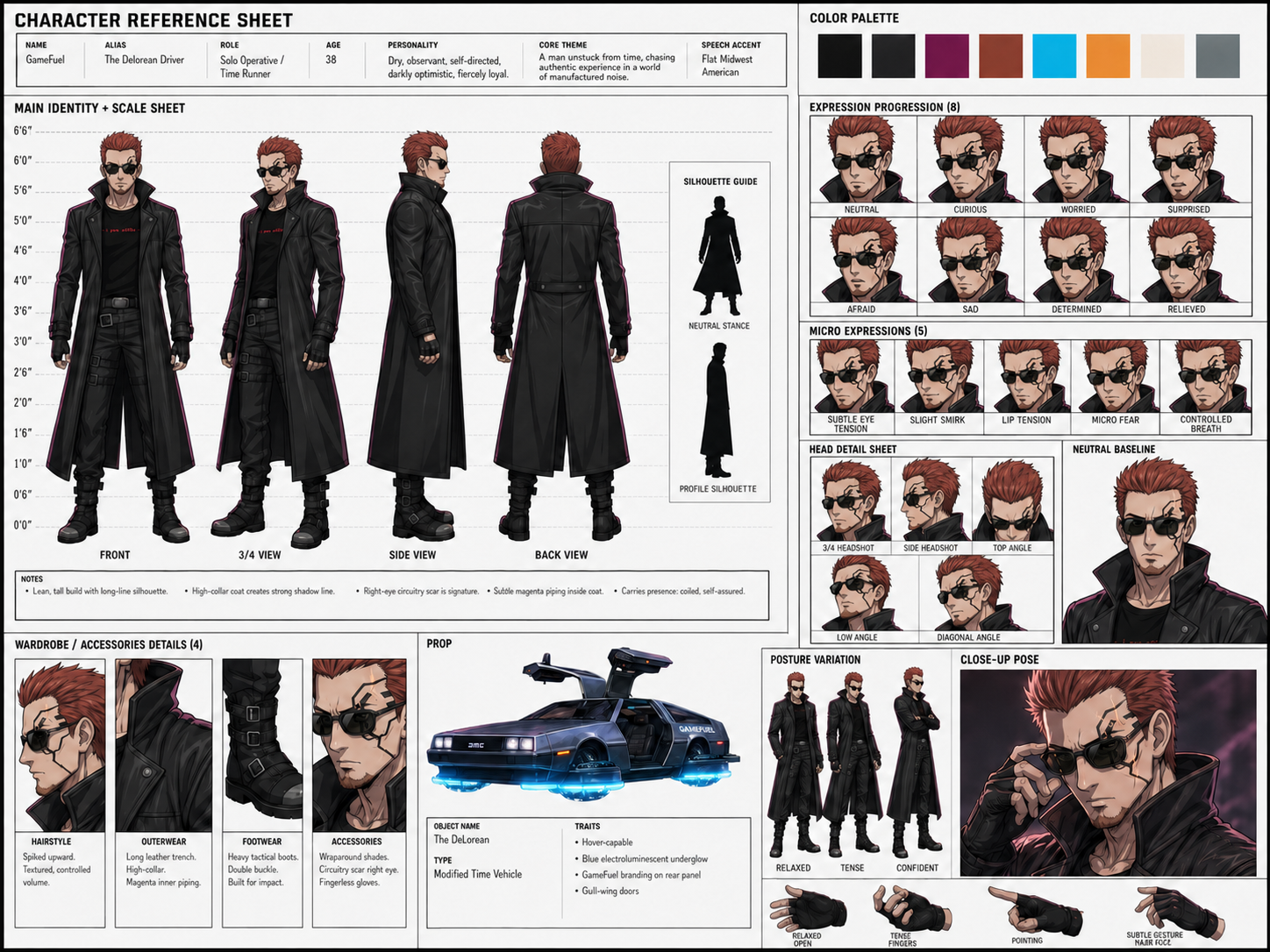
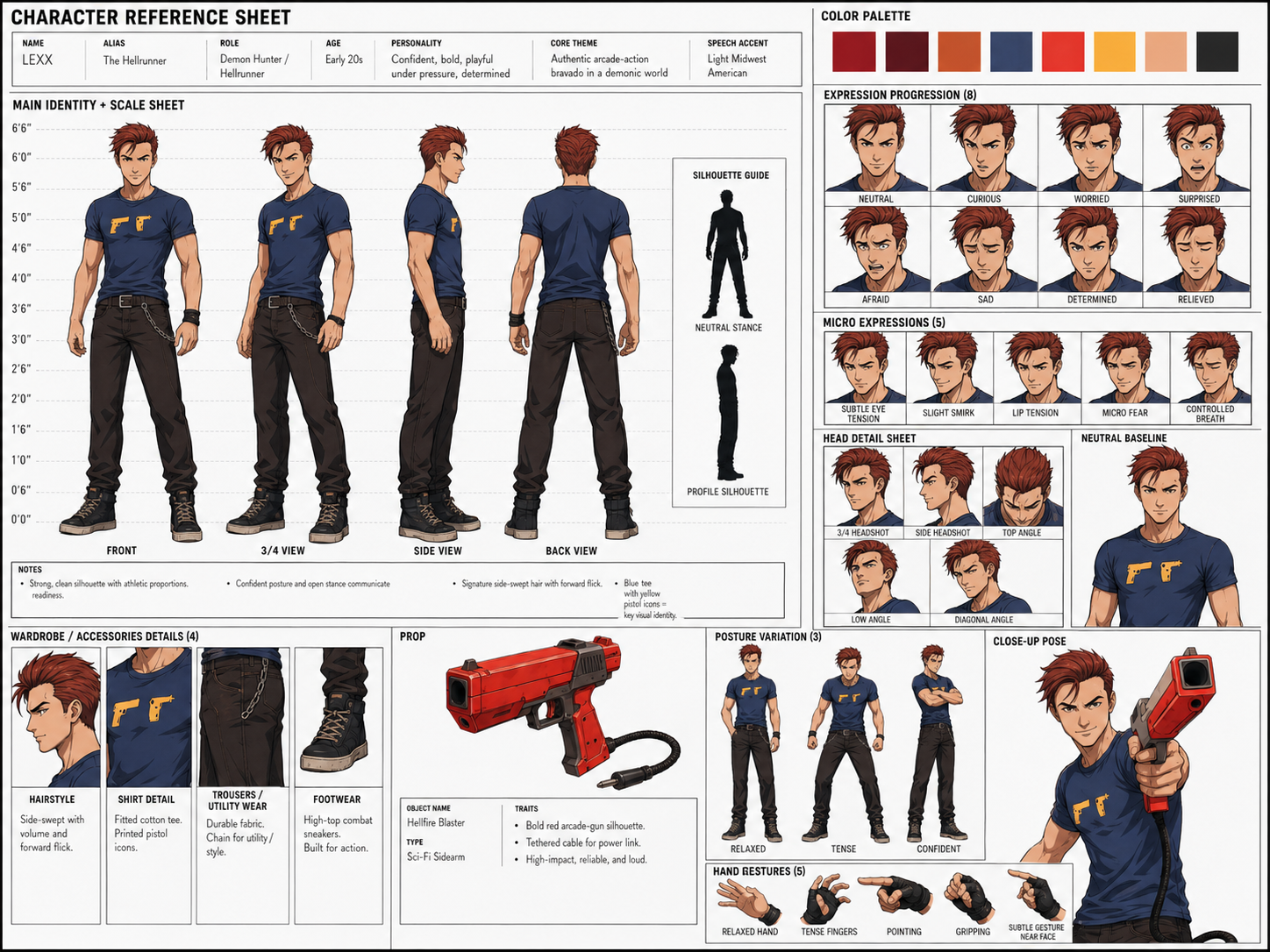
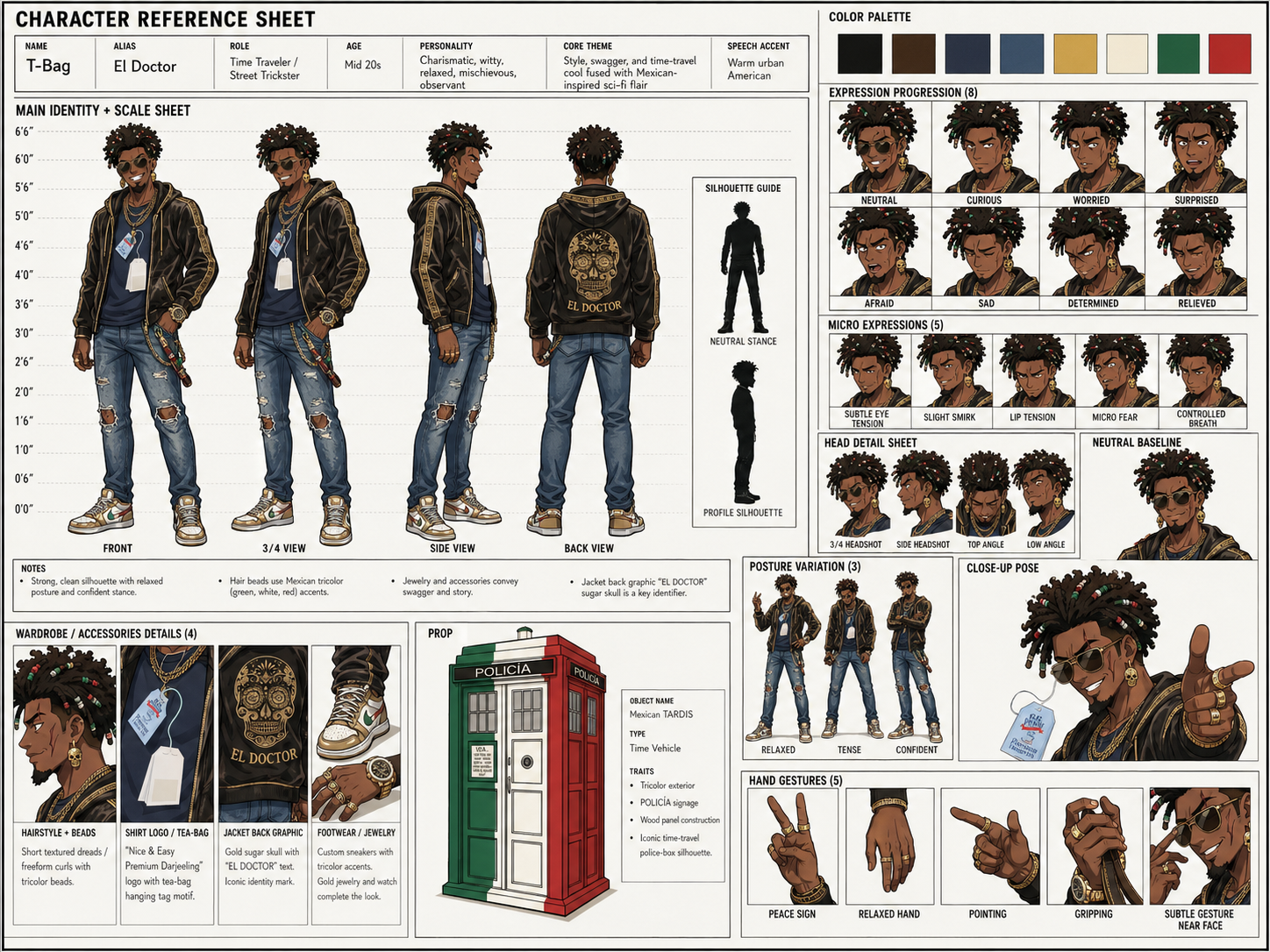
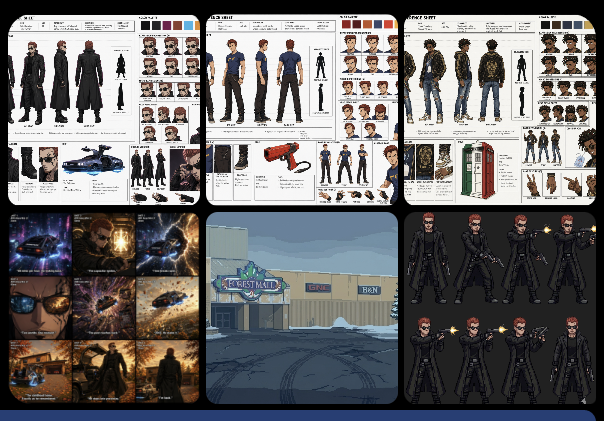
The game design processes started with reference images of the characters that would be the heroes of the story. Each one is unique and brings something interesting to the story. Having these characters gives the AI a reference to lock onto so it doesn't hallucinate as often and helps see your vision created faithfully.
VISUAL DIRECTION
The art direction went through iterations, narrowing the look to a cold, lethal freeze-frame aesthetic. Each prompt builds on the last, refining until the mood feels right.
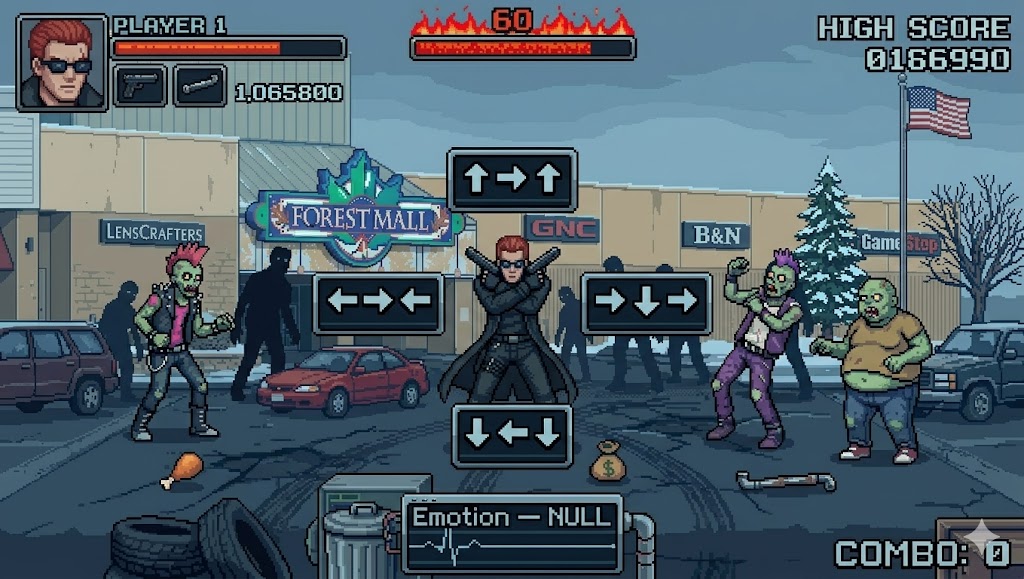
CONCEPT 2 — Freeze-frame stance, directional prompts, cold filter
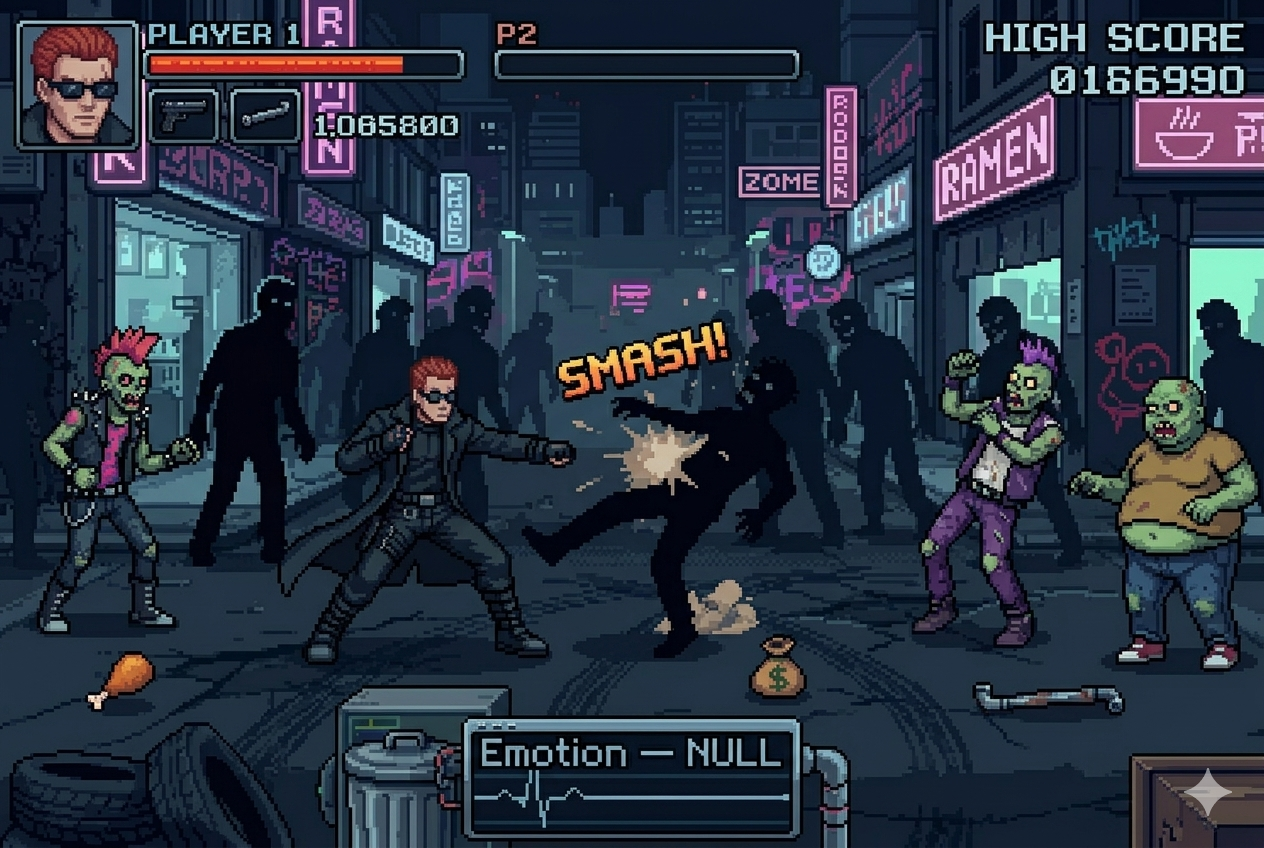
"Player character in gun kata stance, 4 directional prompt boxes, cold blue-grey desaturation filter, countdown timer burning across top."
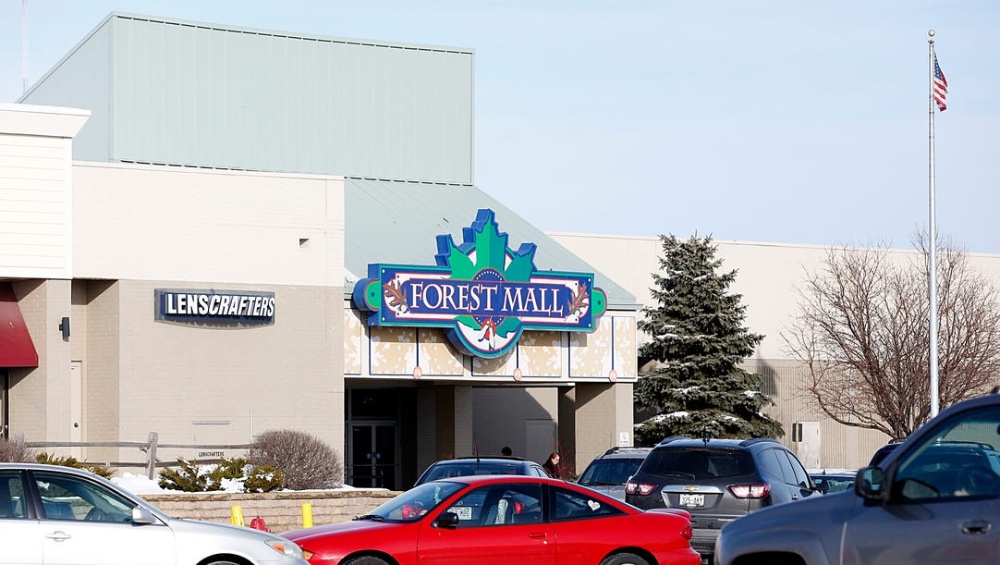
SOURCE — Google Street View
REFERENCE — Pixelated study
CHAT GPT — REFERENCE FED TO CLAUDE
Original concept art to explain what prompt built it
FINAL ART DIRECTION
The concept art is the north star. This is what the finished game scene will look like: the mood, the lighting, the composition. Everything from here on is realizing this vision in code.
FINAL CONCEPT — AI-refined vision
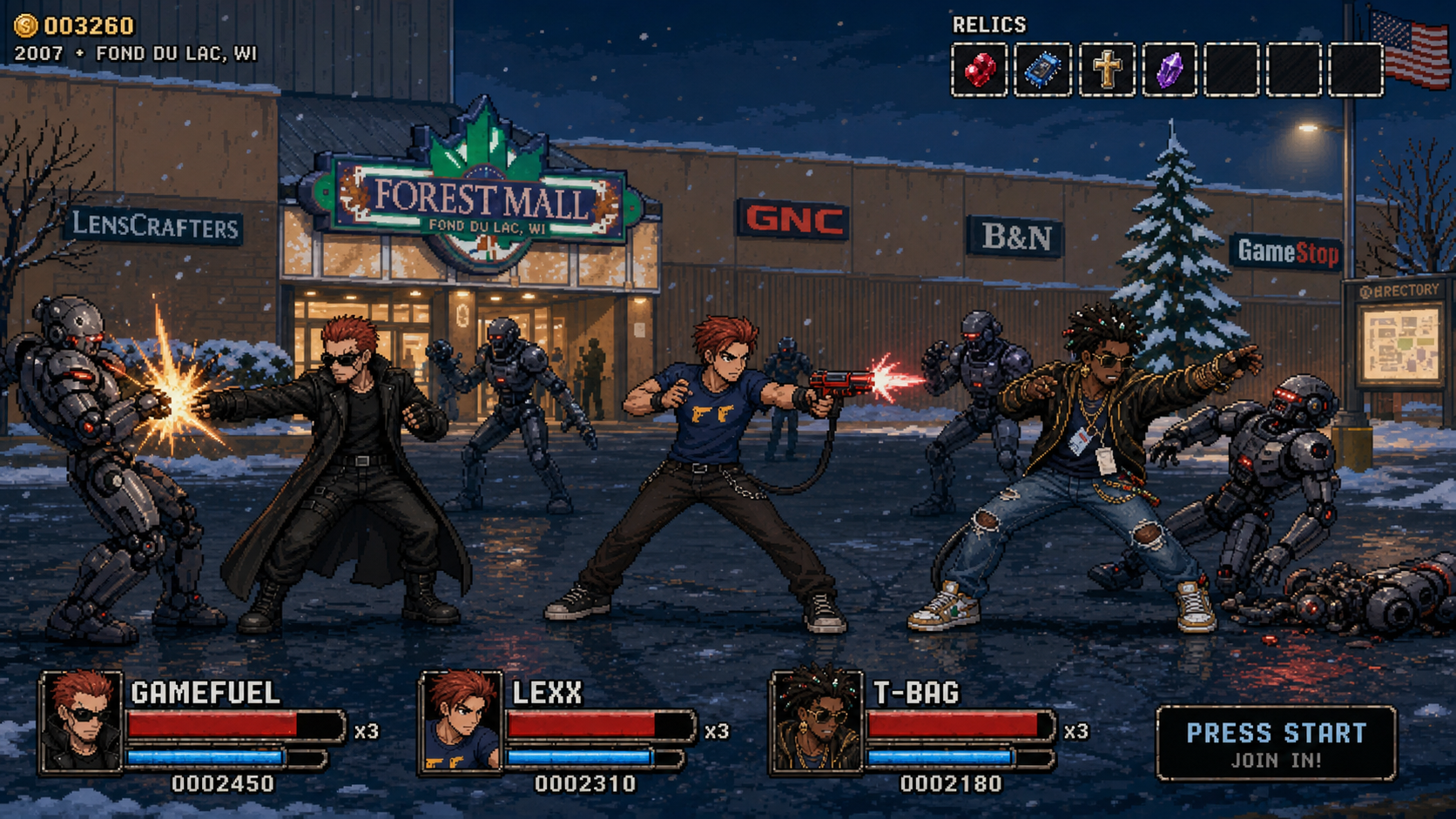
Refined composition, mood, lighting, character stance
Prompt used with the reference image above:

Keep everything identical to the previous image — player character
in gun kata stance, all 4 directional prompt boxes, flaming countdown
timer, zombie sprites, HUD, Emotion NULL meter, COMBO counter.
Replace only the background with a 16-bit pixel art version of a
suburban American mall exterior — flat beige/tan walls, a large
colorful mall entrance sign with a leaf logo, LensCrafters store
visible to the left, parking lot in the foreground with pixel art
cars, bare winter trees, American flag on a pole right side, overcast
grey-blue sky. Neon signs replaced with mall store signage in pixel
font. Same cold blue-grey desaturation filter over the whole scene.
Maintain the Streets of Rage side-scrolling perspective. The mall
should feel eerie and abandoned — flickering fluorescent entrance
lights, cracked pavement, dead landscaping.

# This iteration locked in the final mood and environment
Every location in the game is a real place from 2007 Fond du Lac, painted in pixel art, lit by hand, and animated with people we knew. The whole game is a memory palace — you walk the streets you grew up on, fight enemies that feel like the people you knew, and see your hometown frozen in time.
THE LOOP
One stage, start to finish
Four phases, repeated for every location. Generate the art, rig the cast, compose the scene live, then bake the values back into the game. No phase needs more than basic JavaScript to follow.
- 01Generate the background at 2172×724 with an image model
- 02Generate & cut sprite sheets into fixed-size action strips
- 03Duplicate the nearest scene scaffold, swap the art
- 04Click characters, pose them with the arrow keys
- 05Drag the light-cone & rain handles until it feels right
- 06Read the console, bake the numbers into the scene file
- 07Hide the guides, screenshot the final look
- 08Document the baked values — ship the stage
PHASE 01
Generate the world
Every stage starts in Google Maps. Plot the camera angle, measure distances, mark where characters will stand. Then that real location becomes the source for AI art generation, layered with baked lights and atmosphere.
STEP 1: STAGE LAYOUT — Plan the camera in Google Maps

STEP 2: SOURCE & GENERATION — Street View → painted background
SOURCE — Original reference material
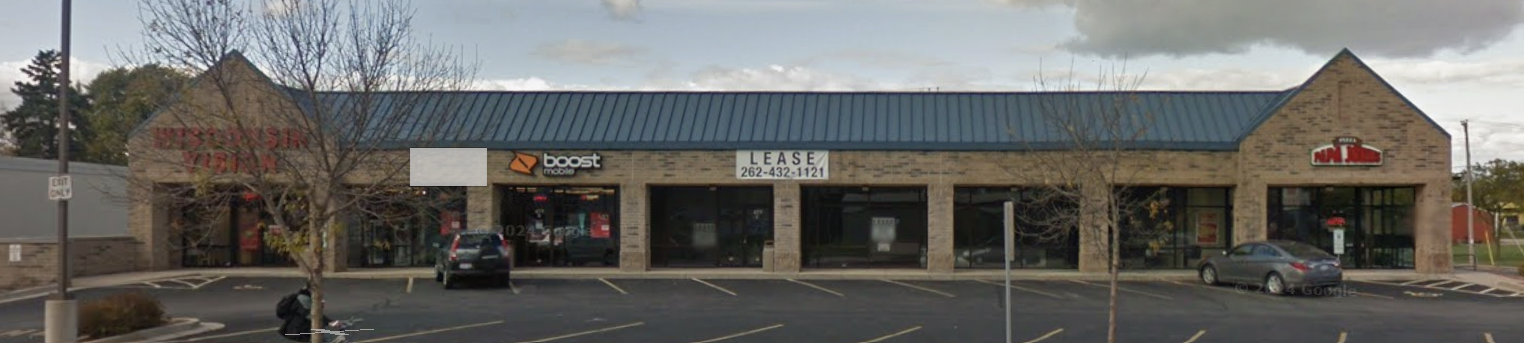
Original art direction reference and location scouting
GENERATED — AI painted background, 2172×724
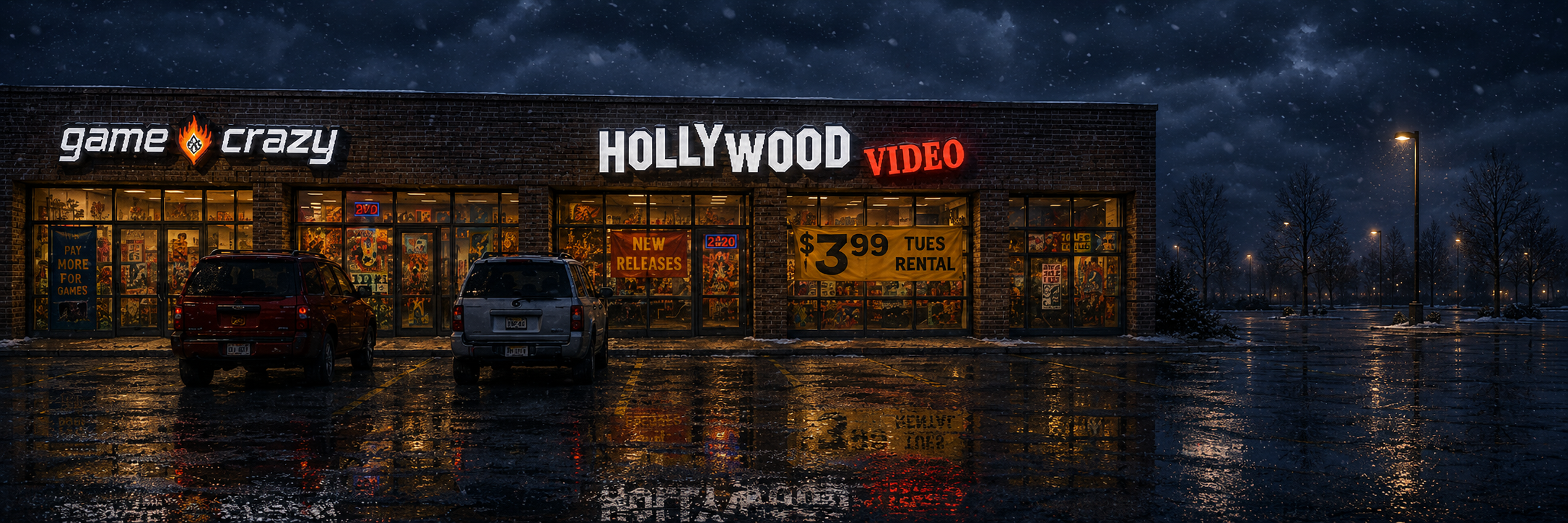
Night version with wet pavement, baked reflections, atmospheric lighting created using original image + search for original logos + custom art prompt
Prompt used to generate from the real location:

Photorealistic night scene, exterior of a closed Game Crazy
video game store in a strip mall, large illuminated storefront sign,
display windows with game posters, wet asphalt pavement reflecting
neon signs and street lights, sodium yellow overhead lamps, dark sky,
cinematic wide-angle perspective, ultra-wide 21:9 aspect ratio,
hyper-detailed, photographic quality, no people, no cars visible,
focus on environmental atmosphere, slight rain visible in the air,
puddles on the ground with reflections of signage above, moody urban
lighting, dark atmosphere, desaturated colour palette with orange and
blue accent lighting, 35mm film grain, high contrast, dramatic shadows.

# Output: 2172 × 724 px (scales to 1920×640 in-game)
STEP 3: ATMOSPHERE LAYERS — Moon & clouds with chroma keying
Generate moon and cloud assets in Chat GPT with a green screen background, then use sorceress.games to remove the background automatically. The keyed versions layer into the scene at different depths for parallax.
MOON — Before chroma key
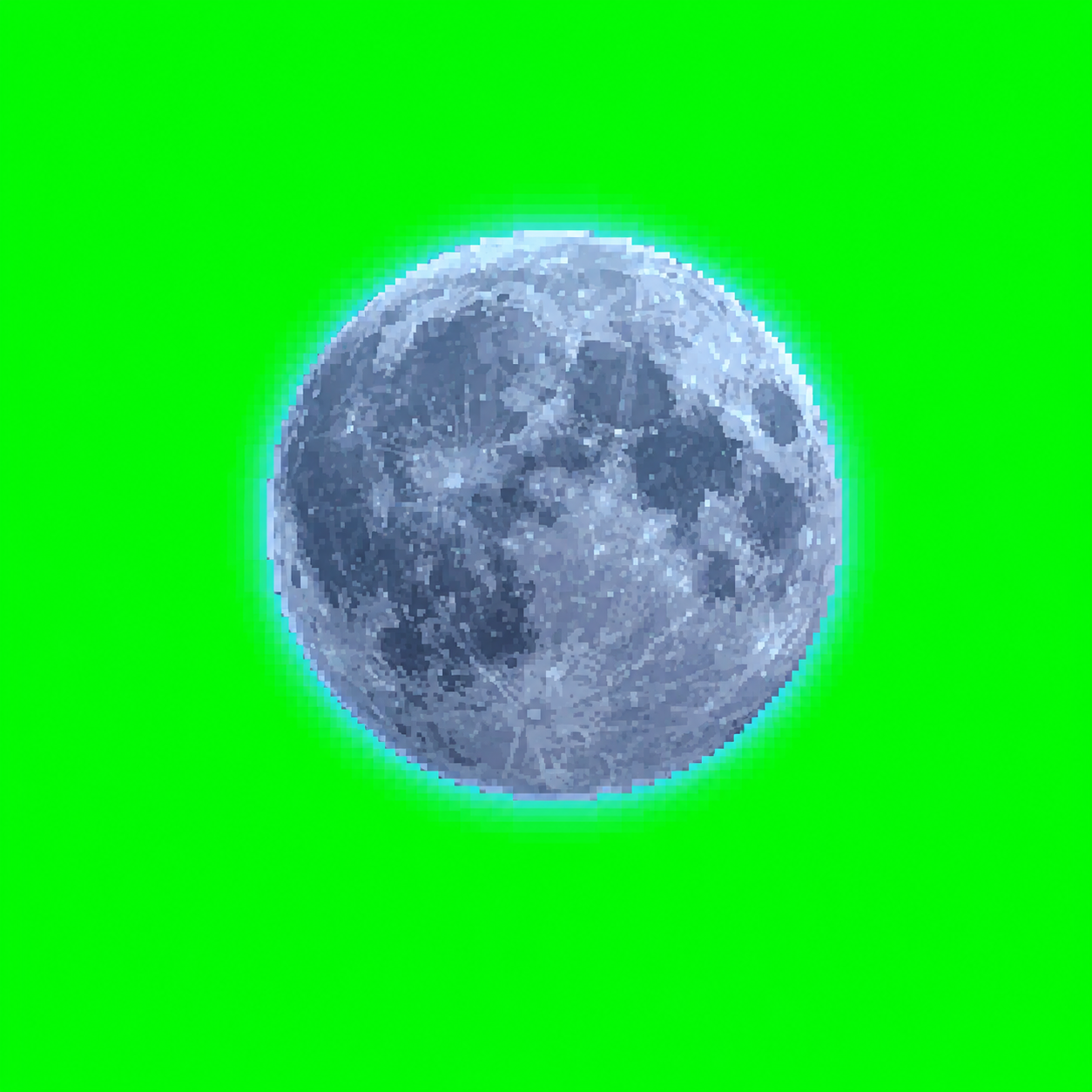
Generated in Chat GPT with #00FF00 background
MOON — After sorceress
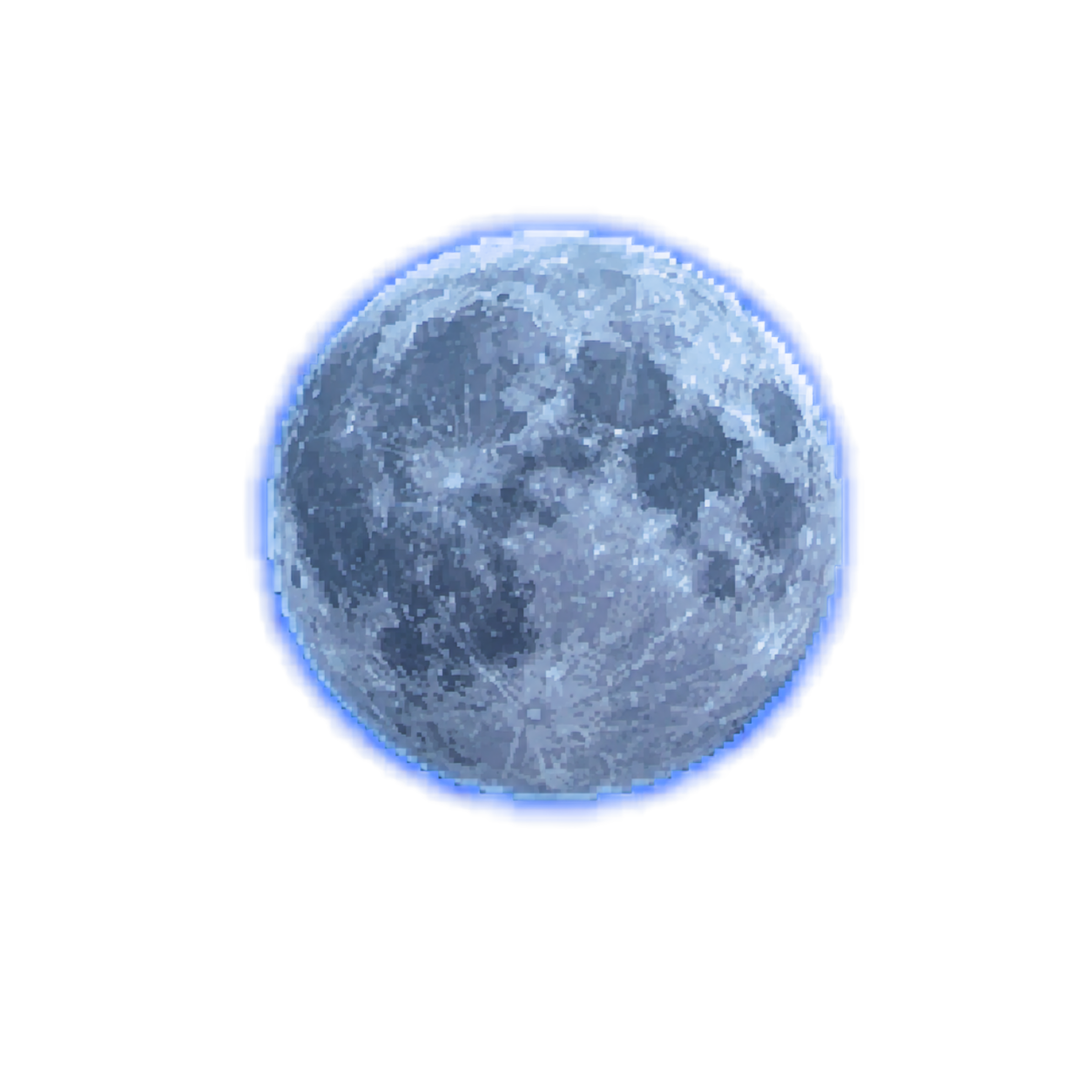
Transparent PNG, ready to composite
CLOUDS — Before chroma key
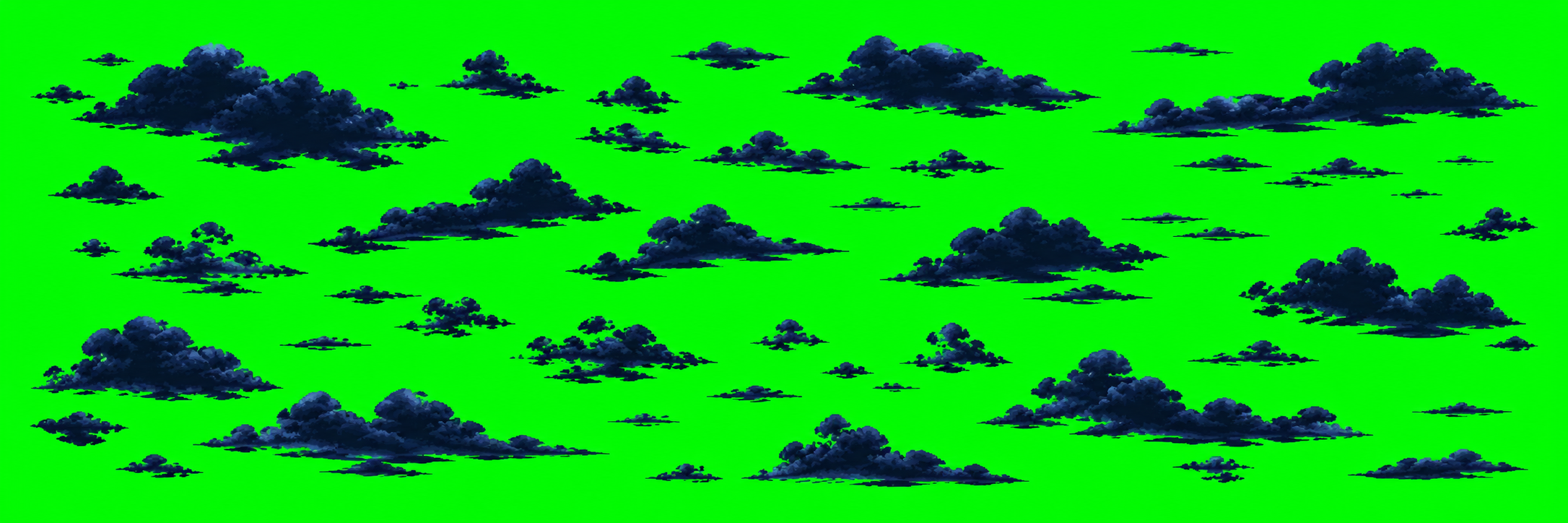
Generated in Chat GPT with #00FF00 background
CLOUDS — After sorceress
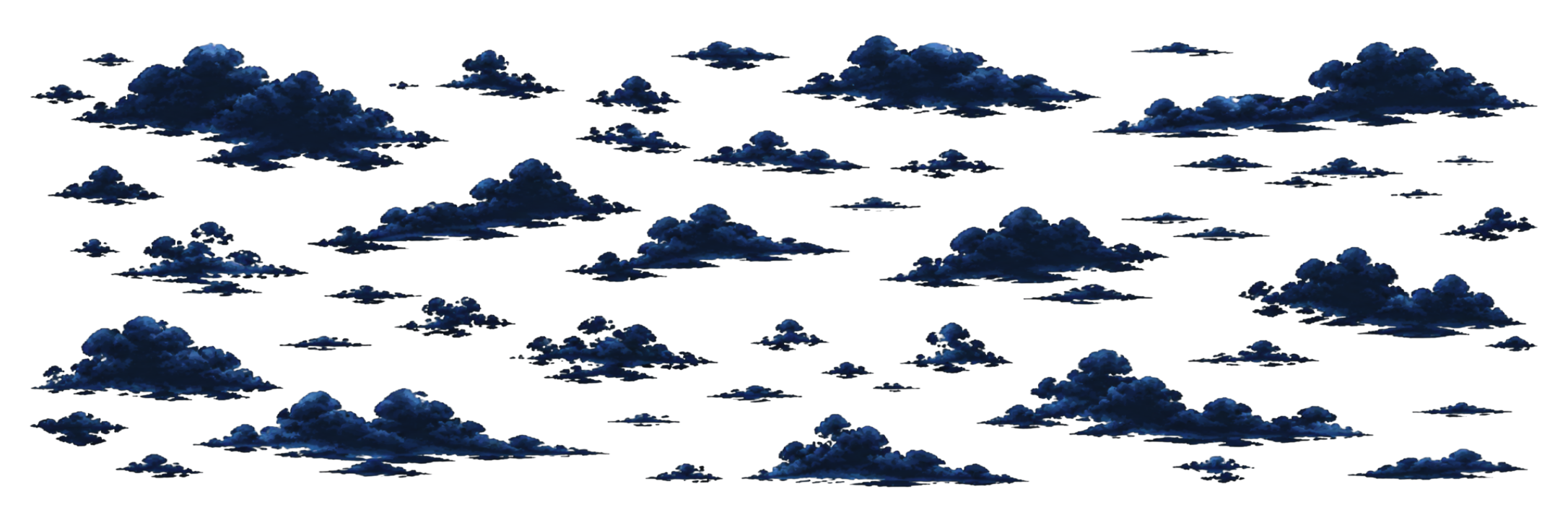
Transparent PNG, moves in parallax at depth 2-3
FINAL COMPOSITION — All layers together
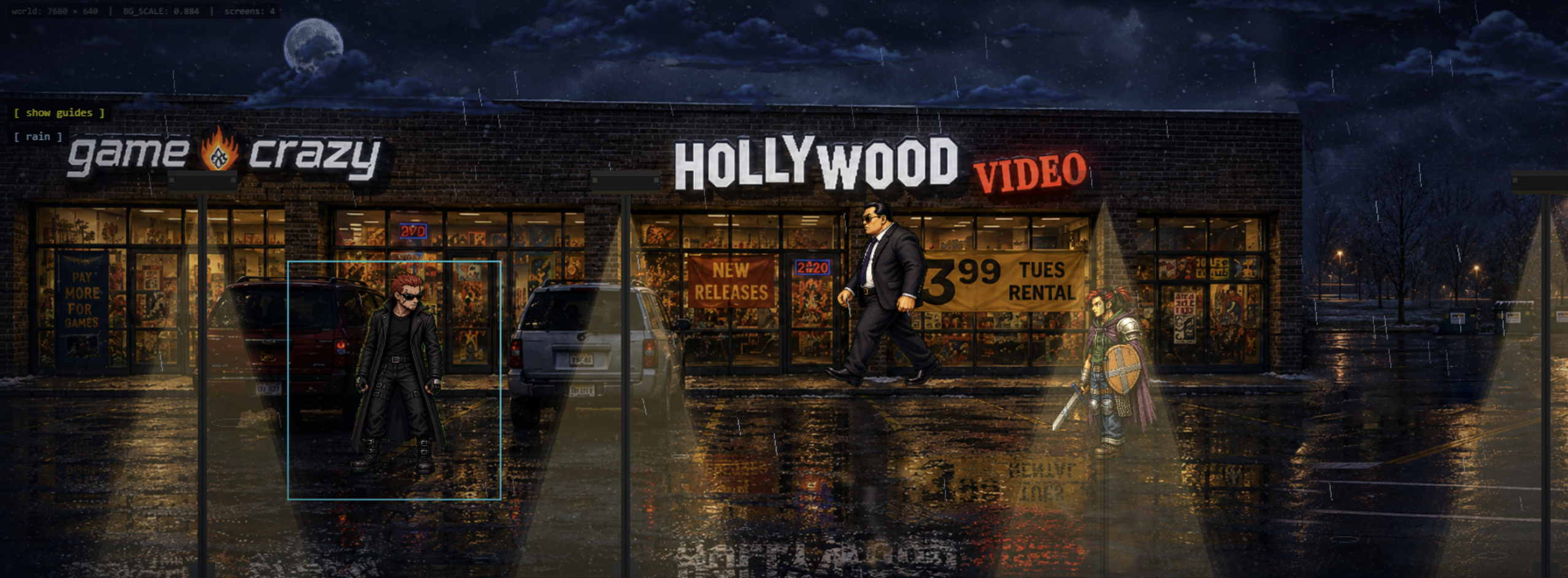
Base background + moon (depth 1) + clouds (depth 2-3) in parallax, ready for characters and lighting
Real-world scouting & prompt generation. AI reviews the Street View, drafts the location prompt, generates the painted background with baked reflections, and creates the moon and cloud layers. A real location becomes production art in minutes.
DO IT YOURSELF
Run the same loop
You don't need a studio. You need a browser game framework, an image model, and an AI coding partner. Here's the minimum to get your own HD-2D stage on screen.
- Generate a background at 2172×724 with the night/wet-pavement prompt.Let the model bake the reflections into the image.
- Duplicate a working scene and swap the background import.Start from something that already renders, never a blank file.
- Set the floor line — measure it off the image and multiply by 0.884.That's where characters' feet land.
- Run the dev server, open the test page, and click to pose characters.Arrow keys move the selected sprite at 120 px/sec.
- Drag the light-cone and rain handles until the mood is right.Read the console after every drag.
- Bake the numbers into the init methods, hide the guides, screenshot.Then write the values down so the stage is reproducible.
Now go build a level.
The whole pipeline is just generate, compose, bake, repeat — with AI doing the heavy lifting at every step.
THE TOOLS
What made this possible
A one-person game, built fast, using AI at every stage. These are the tools and platforms that made the workflow possible.
Claude Code
Full-stack AI dev partner. Wrote the entire toolchain (editors, scene scaffolds, sprite processors), debugged the game loop, and built this website.
Chat GPT
Image generation. Painted all backgrounds, character sheets, and concept art from prompts. No hand-drawn assets.
Google Gemini
Iteration and refinement. Used for concept exploration and prompt optimization when exploring visual directions.
Sorceress Game Dev Tool
Fast, automated background removal for sprite sheets and foreground assets. sorceress.games
TECH STACK